
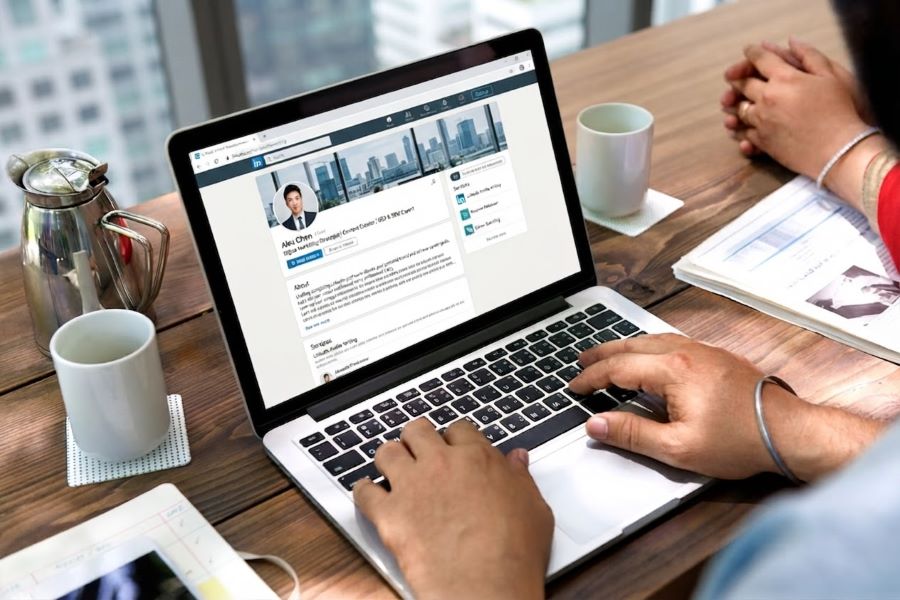
Your resume introduces your qualifications, but your LinkedIn profile can give recruiters a broader view of your professional brand, career history, recommendations, work samples, and industry activity. Learning how to put LinkedIn on resume correctly helps employers find the right profile without making your contact section look crowded or unprofessional.
The process is simple: update your profile, customize the public URL, add the link next to your phone number and email address, and test it before submitting your application. The more important question is whether the profile strengthens the story your resume tells.
This guide shows you where to place the link, how to format it, how to create a professional custom URL, and when leaving it off may be the better choice.
Key Takeaways
- Place your LinkedIn address with your other contact information.
- Customize the public URL before adding it.
- Remove unnecessary tracking characters, spaces, and long number strings.
- Make the link clickable in digital copies.
- Confirm that the profile is visible to people outside your network.
- Align job titles, employers, dates, and credentials with your resume.
- Use LinkedIn to add context rather than duplicate every line.
- Leave the link off until the profile is complete and professional.
- Open the final PDF and test the hyperlink before applying.
How To Add LinkedIn to a Resume?
The simplest way to include LinkedIn on a resume is to add a shortened, customized public profile URL to the contact information section at the top of the page.
Use a format such as:
Jordan Lee
Chicago, Illinois | 555-555-0182 | jordan.lee@email.com | linkedin.com/in/jordanlee
For a digital resume, make the text clickable. For a printed copy, keep the visible address short and legible. The link should lead directly to a complete, current, and publicly visible profile.
Should You Put LinkedIn on Your Resume?
In most professional contexts, including a LinkedIn profile is useful when it provides credible information and supports your candidacy.
It can help a recruiter see:
- A professional photograph and headline
- A fuller career history
- Recommendations from colleagues or managers
- Skills and endorsements
- Certifications and education
- Work samples, publications, projects, or presentations
- Volunteer experience and professional affiliations
- Industry activity and thought leadership
When deciding how to put LinkedIn on resume, first ask whether the destination is worth visiting. A polished link cannot compensate for an incomplete profile, conflicting employment dates, an outdated headline, or a weak About section.
Your profile and resume should support the same professional direction. They do not need to use identical wording, but the underlying facts should align.
When LinkedIn Adds the Most Value
Adding the profile is especially helpful when you do the following:
- Work in a professional, technical, creative, sales, consulting, or leadership field
- Have recommendations that reinforce your credibility
- Publish articles, presentations, or industry insights
- Maintain a portfolio or Featured section
- Have a complex career that needs more context
- Are building a visible professional brand
- Want recruiters to find you for related opportunities
- Have certifications or projects that do not fit comfortably on the resume
It can also help a career changer showcase training, projects, transferable strengths, and engagement with the new field.
Update Your Linkedin Profile Before Sharing
Before focusing on how to put LinkedIn on resume, make sure the profile is current enough to strengthen your application.
Review the following areas:
- Professional Photograph -Use a recent, clear image with appropriate lighting and a simple background. Your appearance should be appropriate for the professional context of your target field.
- Background Image -A suitable banner can reinforce your field or brand, but avoid cluttered graphics, unreadable text, or images unrelated to your work.
- Headline – Do not rely solely on your current internal title. Use the headline to communicate your role, specialization, and value. Example :Operations Manager | Process Improvement, Service Delivery and Multi-Site Leadership
- About Section
Your About section should explain:
- What you do
- Which problems you solve
- Your main areas of expertise
- A few significant achievements
- The type of opportunities or professional conversations that interest you
Use a conversational first-person voice while keeping the content professional.
- Experience
Verify job titles, employer names, dates, promotions, and major achievements. The profile can provide more context than the resume, but it should not contradict the resume.
- Skills
Prioritize skills relevant to your target role. Remove outdated or irrelevant items that weaken your positioning.
- Education, Licenses, and Certifications
Confirm that the names, issuing organizations, dates, and credential status are accurate.
- Recommendations and Featured Work
Recommendations, project links, publications, presentations, and media can provide employers with evidence that a two-page resume cannot fully convey.
- Make Sure Your Profile Is Publicly Visible
A recruiter who is not connected to you needs to be able to view the profile. LinkedIn lets you control the public visibility of eligible profile sections on the Public profile settings page. Review those settings before sharing the link.
LinkedIn’s current help documentation states that a public profile has an address beginning with www.linkedin.com/in, and that you can find it on your profile page under Public profile & URL.
Test visibility by opening the address in a private or incognito browser window while logged out. This check shows what an employer outside your immediate network can see.
- Create a Custom LinkedIn URL
A default public address may include your name followed by a long series of numbers or letters. A customized version looks cleaner, is easier to type, and takes up less space.
Customized example: linkedin.com/in/jordanlee
LinkedIn’s current desktop instructions are as follows:
- Select Me on the LinkedIn homepage.
- Choose View Profile.
- Select the edit control beside Public profile & URL.
- Under Edit your custom URL, select the edit control beside the current address.
- Change the final part of the address.
- Save the update.
The mobile path starts at your profile, then Contact info, followed by the profile URL and public-profile settings. Interface labels may change, so use LinkedIn’s official help page if your screen differs.
How to Choose a Professional Custom URL
Use your name whenever possible.
Good options include:
- linkedin.com/in/jordanlee
- linkedin.com/in/jordanleecpa
- linkedin.com/in/jordanlee-projectmanager
Avoid:
- Nicknames that are not part of your professional identity
- Birth years or unnecessary personal information
- Long strings of numbers
- Humorous phrases
- Current employer names that may soon become outdated
- Claims such as “bestrecruiter” or “numberonesalesleader”
Your name with a middle initial, a credential, or a concise professional descriptor is usually enough.
Where to Place LinkedIn on Your Resume
The standard answer to how to put LinkedIn on resume is to include it in the header alongside your phone number, email address, and location.
One-Line Header
Maya Patel
Atlanta, Georgia | 555-555-0147 | maya.patel@email.com | linkedin.com/in/mayapatel
Two-Line Header
MAYA PATEL
Senior Financial Analyst
Atlanta, Georgia | 555-555-0147 | maya.patel@email.com
linkedin.com/in/mayapatel
Executive Header
DANIEL MORGAN
Chief Technology Officer | Cloud Transformation and Cybersecurity
New York, New York | 555-555-0174 | daniel.morgan@email.com
LinkedIn: linkedin.com/in/danielmorgan
Keep the link near the top. Do not place it in the footer, references section, or at the end of the work history, where it is easy to overlook.
How to Format the LinkedIn Address
A clean example of how to put LinkedIn on resume looks like this: linkedin.com/in/yourname
You generally do not need to display: https://www.linkedin.com/in/yourname/
Removing the protocol and www keeps the header concise. The visible text can remain shortened while the full address is embedded in the hyperlink.
Do You Write “LinkedIn” Before the Address?
Either approach can work:
- linkedin.com/in/yourname
- LinkedIn: linkedin.com/in/yourname
- Hyperlinked text: LinkedIn Profile
The full visible address is usually best for printed copies because the reader can still enter it manually.
Should You Use the LinkedIn Icon? A small icon can work on a modern resume, but text is safer for ATS readability and printed copies. Do not use an icon without readable linked text.
How to Add a Clickable Link
Microsoft Word
- Highlight the LinkedIn text.
- Use Insert Link or the hyperlink command.
- Paste the complete profile address.
- Confirm the link.
- Export the document to PDF.
- Open the PDF and test it.
Google Docs
- Highlight the visible text.
- Select Insert link.
- Paste the complete profile address.
- Apply the link.
- Download the document as a PDF.
- Test the PDF link.
PDF Resume
Do not assume the hyperlink survived the conversion. Open the exact file you plan to submit and click it.
A broken link is worse than no link because it suggests the document was not carefully reviewed.
Will a LinkedIn Link Affect ATS Screening?
From an ATS perspective, how to put LinkedIn on resume depends on clarity and formatting rather than elaborate design.
Use these practices:
- Keep the visible text readable.
- Place it in the main document body rather than only in a header or footer.
- Avoid hiding the address behind an unlabeled icon.
- Use a conventional contact-information section.
- Do not add several unrelated social profiles.
- Confirm that the hyperlink does not cover adjacent text.
- Check that the line remains readable after PDF conversion.
Most systems are designed to extract contact details, but formats vary. Plain text with a hyperlink provides both machine-readable text and an easy path for human reviewers.
Make Your Resume and LinkedIn Consistent
Consistency does not mean copying every sentence. It means the facts and professional direction should align.
Check:
- Employer names
- Employment dates
- Job titles
- Promotions
- Degrees
- Certifications
- Professional credentials
- Target career direction
Minor differences in detail are normal. Your LinkedIn profile may list more jobs, projects, volunteer work, recommendations, and publications. Your resume should remain selective and tailored to the position.
What Can LinkedIn Include That Your Resume Does Not?
LinkedIn can add:
- Recommendations
- Featured work
- Articles and posts
- More detailed project descriptions
- Earlier positions
- Volunteer experience
- Professional associations
- Courses and credentials
- A broader skills list
- Multimedia
Use the extra space to deepen your story rather than simply duplicating the resume line by line.
When Not to Include LinkedIn
Leave the link off temporarily when:
- Your profile is incomplete.
- The headline targets a different profession.
- Employment dates or titles conflict with the resume.
- The profile contains an unprofessional photograph or content.
- The public settings prevent recruiters from seeing useful information.
- The URL has not been customized and is excessively long.
- The profile adds no value beyond a weaker copy of the resume.
- You are not comfortable having the profile reviewed.
A common mistake when adding LinkedIn to a resume is including the link simply because other candidates do. The destination must support your application.
Removing the link does not guarantee employers will not search for you. Update or restrict the profile rather than assuming it will remain unseen.
How to Add LinkedIn Learning Certificates
A relevant LinkedIn Learning course can support your candidacy when it helps demonstrate recent training, a career transition, or a job-specific capability.
LinkedIn currently allows learners to open Learning History, select the menu next to a completed course, and choose Add to profile.
On your resume, place relevant training in one of these sections:
Certifications
LinkedIn Learning Certificate – Advanced Excel
LinkedIn Learning | 2026
Professional Development
- SQL Essential Training, LinkedIn Learning, 2026
- Project Management Foundations, LinkedIn Learning, 2026
Skills
List the specific skill, such as SQL or Excel, when you can demonstrate it through training and practical use. Do not list “LinkedIn Learning” as a skill.
Short courses should not overshadow degrees, licenses, or recognized professional certifications. Include only those that strengthen the target application.
Add LinkedIn to Your Cover Letter and Email Signature
You can also add the profile address to:
- Your cover-letter header
- Your professional email signature
- A digital portfolio
- A networking introduction
- A professional biography
Use the same customized address across all materials. Consistency makes your professional brand more recognizable.
Common Mistakes to Avoid
- Using a Broken Link – always test the final file, not just the Word or Google Docs version.
- Sharing an Incomplete Profile – a half-finished profile may weaken the positive impression created by the resume.
- Keeping a Random URL – customize the public address so it is readable and professional.
- Hiding the Link Behind an Icon – include readable text for accessibility, printing, and ATS interpretation.
- Allowing Date or Title Conflicts – review both documents before applying.
- Copying the Resume Word for Word – use LinkedIn to add depth, recommendations, work samples, and a more conversational professional story.
- Adding Too Many Links – your contact section should not become a directory. Include LinkedIn and a portfolio or GitHub profile only when each one adds value.
- Making the Profile Too Personal – linkedIn can be conversational, but it is still part of your professional presentation.
Final Checklist
Before submitting your resume, confirm that:
- Your profile is complete.
- Your public visibility settings are appropriate.
- Your photograph and banner are professional.
- Your headline supports the target role.
- Your About section communicates clear value.
- Job titles, employers, and dates agree with the resume.
- The public URL is customized.
- The visible address is concise.
- The link appears with your contact information.
- Digital copies contain a working hyperlink.
- The PDF link has been tested.
- The profile adds more value than a duplicate resume.
- Irrelevant or outdated information has been removed.
- The page looks professional on desktop and mobile.
Frequently Asked Questions
- Should LinkedIn Be Included on Every Resume? No. Include it only when the profile is complete, current, visible, and relevant. Leave it off until it strengthens your application.
- Where Should You Put Your LinkedIn URL? Place it near the top with your phone number, email address, and location. Recruiters expect to find contact and professional-profile information here.
- Do You Need to Include https://? The visible text can use the shorter format linkedin.com/in/yourname. Embed the full address in the hyperlink.
- Should the Link Be Clickable? Yes, for digital resumes. A recruiter should be able to access the profile with one click. Keep the visible address legible for print copies.
- Should You Include the LinkedIn Logo? You can, but do not rely on the icon alone. Include readable text so the information remains clear to screening systems and to people using assistive technology.
- What if Your Name Is Not Available for a Custom URL? Try your middle initial, professional credential, or a concise career descriptor. Keep the result recognizable and easy to type.
- Can Your LinkedIn Profile Be Longer Than Your Resume? Yes. The resume should be targeted and concise, while LinkedIn can showcase more career history, projects, volunteer experience, recommendations, and media.
- Should You Add Other Social Media Profiles? Only when they are professionally relevant. A designer may include a portfolio, a developer may include a GitHub link, and a writer may link to published work. Personal social accounts usually do not belong on a resume.
- Can You Add a LinkedIn Learning Certificate? Yes, when the course is relevant. Place it in Certifications, Professional Development, Education, or Skills based on its importance.
- What Should You Do if Your Resume and LinkedIn Do Not Match? Correct factual inconsistencies before applying. The wording may vary, but employers, dates, titles, degrees, and credentials should match.
Final Thoughts
Once you know how to include LinkedIn on your resume, the technical step takes only a few minutes. The real work is creating a profile that deserves a recruiter’s attention.
Customize the URL, place it in the contact section, make it clickable, and test the final document. More importantly, ensure that the profile aligns with the same target as your resume while adding recommendations, projects, professional activity, and relevant career context.
At Boxresume, our LinkedIn Optimization Service polishes your LinkedIn profile, reinforces your credibility, and gives employers a reason to reach out to you.
